

Posted on | April 16, 2010 | 2 Comments
Michael posted something on your Wall and wrote:
“ORLY’S BLOG.
If you want to go to Orly’s blog.
BEFORE you do.
Using Mozilla, go to ‘Tools’ then ‘Options’ then ‘Content’ then remove the Tick beside ‘Enable Java Script’.
Then go to Orly’s blog and you won’t get the
malicious script.
When you finish, don’t forget to re-enable
the java script for other web-browsing.”
Category: Uncategorized
Comments
2 Responses to “”
Leave a Reply
EVIDENCE AGAINST OBAMA — YouTube Indiana Trial of Obama !
Petition the White House to institute Edward Snowden, National Whistleblower – Patriots against Government Corruption Day

 OrlyTaitzEsq.com
TAITZ REPORT


Official Facebook
IMPORTANT NOTICES – PLEASE READ!
Historic DVD Now Available! DVD of the historic trial in GA and DVD of a historic testimony in NH, where evidence was provided showing Obama using a forged birth certificate and a stolen social security number. The DVDs are in a beautiful commemorative case with personal autographs from attorney Dr. Orly Taitz $22.50 each +$2.50 for shipping and handling.
---------
To order these DVDs, donate $25.00 by credit card on the website RunOrlyRun.com and email orly.taitz@gmail.com with you name and address. Or send a $25.00 check with your name and address to: Orly Taitz for US Senate 2012, 29839 Santa Margarita ste 100, RSM, CA 92688.
DVD of the historic trial in GA and DVD of a historic testimony in NH, where evidence was provided showing Obama using a forged birth certificate and a stolen social security number. The DVDs are in a beautiful commemorative case with personal autographs from attorney Dr. Orly Taitz $22.50 each +$2.50 for shipping and handling.
---------
To order these DVDs, donate $25.00 by credit card on the website RunOrlyRun.com and email orly.taitz@gmail.com with you name and address. Or send a $25.00 check with your name and address to: Orly Taitz for US Senate 2012, 29839 Santa Margarita ste 100, RSM, CA 92688.
Advertisement / Sponsors
 29839 Sta Margarita Pkwy,
Ste 100
Rancho Sta Margarita, CA 92688
orly.taitz @gmail. com
(949) 766-7687

--------------------------------------
 Videography by Barbara Rosenfeld
--------------------------------------
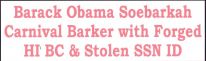
Bumper Sticker
$9.99 thru PayPal--------------------------------------

--------------------------------------Orly Taitz Photo Collections





April 17th, 2010 @ 3:57 am
Just keep your cursor clear of the page til it has fully loaded.The other sites pop up when you inadvertently scroll over it while everything is loading,once it says ‘done’ in the bottom left corner it is clear [windows 7]Anyway that is what I found works best and I visit here daily 🙂